

Everything a duty needs, in one system.
From the first booking to the final invoice, DutyGo covers the full lifecycle of a duty for operators, vendors and corporate travel desks.
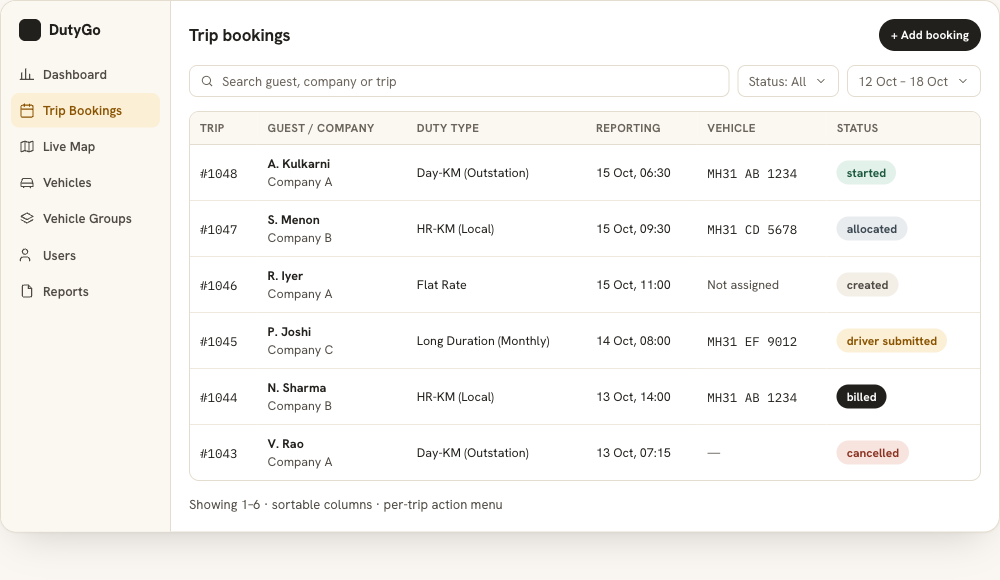
Create, search and manage every booking.
Bookings carry guest, company, pickup, drop, date and time, so dispatch has everything in one place. Read more about cab booking software.
- Create and edit bookings with guest, company, pickup, drop, date and time.
- Choose the duty type: HR-KM (Local), Day-KM (Outstation), Long Duration (Monthly) or Flat Rate.
- Assign billing: Company/Customer, Company (Credit Card), Company (Direct Payment) or Personal.
- Search, filter and paginate large booking lists; view full trip details with status history; cancel with a recorded reason.
Know what's free, then assign in a click.
Pick an available vehicle and driver for the schedule, then notify them.
- Allocate or change the vehicle and driver for any trip.
- Maintain a vehicle master with registration number, vehicle type and GPS device (IMEI).
- Group vehicles with Vehicle Groups for easy assignment and pricing.
- Add or remove vehicles on a booking when plans change.
Reporting 15 Oct, 09:30 · Pickup [address]
See the vehicle. Let the guest see it too.
GPS fleet tracking: GPS-enabled vehicles appear on a live map with colour-coded markers. Share a secure link so guests can follow their own vehicle.
- Moving, idle and stopped states at a glance.
- Trip history playback by date range with start, end and stop points.
- Guest links show only their vehicle, only while the trip is running, and expire afterwards.
Duty details captured at the source.
Drivers open a simple link on their phone. No app install, no paper to carry or lose.
- Start and end trips and update details from the phone.
- Guest verification: the driver captures the guest's signature or enters the guest's OTP at the start and at the end of the trip.
- Expenses with bill photos: toll, parking and other bills with amount and a photo, attached to the trip for accounts to check and include in the invoice.
- Start and end kilometres are checked automatically: end must be higher than start.
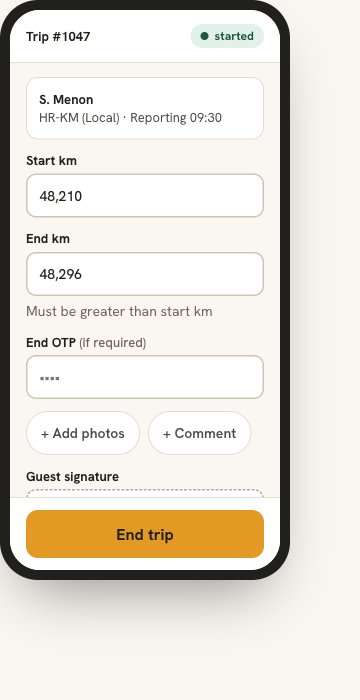
Photo attached
Photo attached
Bills attach to the trip so accounts can check them and include them in the invoice.
Save expenseFrom signed duty slip to invoice, without re-typing.
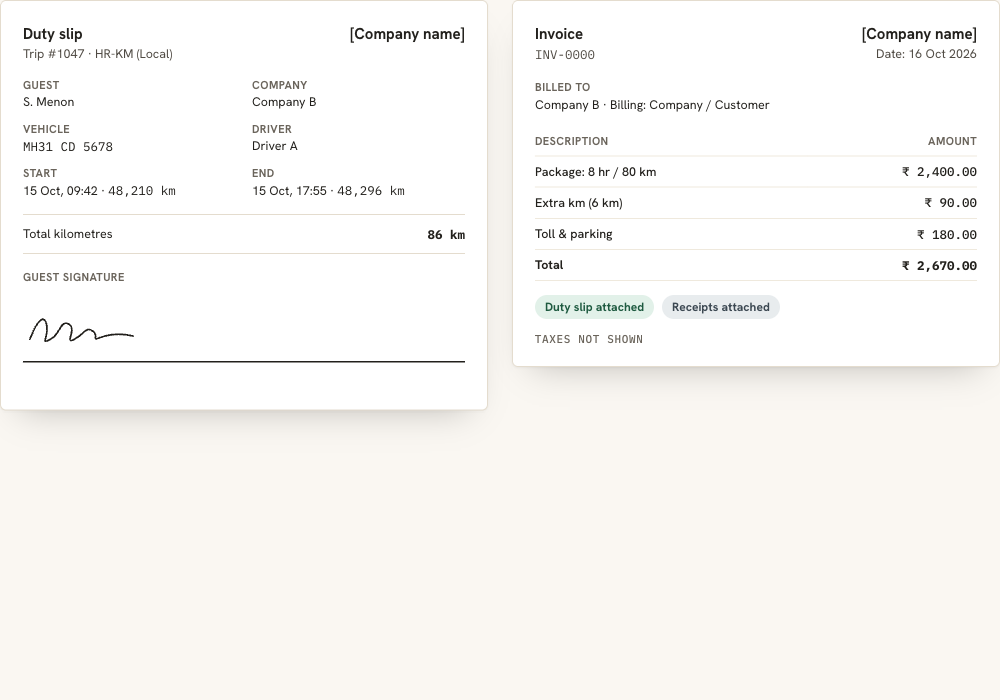
- Generate duty slips and invoices as PDFs.
- Capture the guest's digital signature on the duty slip.
- View, update and re-issue invoices when a trip changes.
- Upload and view supporting documents and photos: toll receipts, parking and more.
Consistent messages to guests and drivers.
Reusable message templates keep every communication consistent and professional.
- Send booking and trip details to guests and drivers by SMS or email.
- Create reusable message templates.
- Copy details in one click to share on any app.
- WhatsApp notifications are on the roadmap.
Vehicle: MH31 CD 5678 (SUV)
Driver: Driver A
Reporting: 15 Oct, 09:30
Spot problems early. Export for audits and billing.
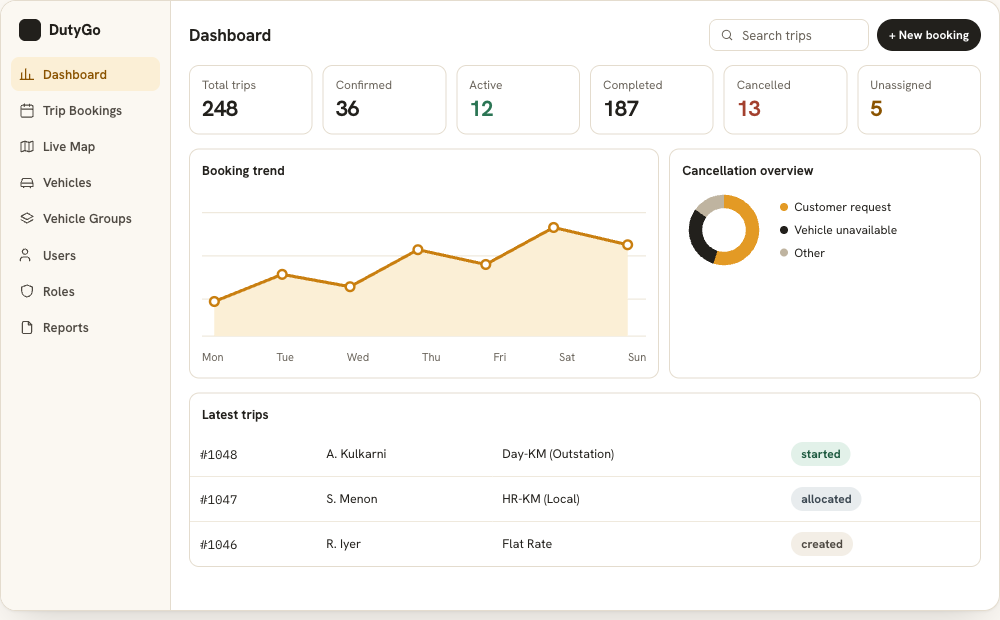
- Real-time overview of confirmed, started, completed and cancelled trips.
- Interactive pie and line charts for quick insight into operations.
- Reports by date range, downloaded as PDF.
- Invoice reports for finance and accounts teams.
- Route map, stops and trip details in the trip report preview.
Demo: the download button jumps to the PDF preview.
Sample PDF trip report
- Guest
- S. Menon
- Company
- Company B
- Vehicle
- MH31 CD 5678
- Driver
- Driver A
- Start
- 12 Oct · 09:40
- End
- 12 Oct · 17:55
- Start km
- 48,210
- End km
- 48,296
| # | Stop | Arrived | Halt |
|---|---|---|---|
| 1 | Client office | 10:35 | 12 min |
| 2 | Lunch stop | 13:05 | 48 min |
| 3 | Hotel drop | 15:20 | 9 min |
Bills attached: Toll ₹ 90, Parking ₹ 100
Sample report with illustrative map and data. Layout of real reports may differ.
Related DutyGo pages
Cab duty management
Duty types, statuses and the dashboard in one record.
Driver and vehicle allocation
Pick available vehicles and notify drivers.
Digital duty slips and invoicing
Signed PDF slips and invoices from the trip.
Taxi trip management platform
Booking to invoice in one trip record.
Outstation cab management
Day-KM duties, kilometres and toll bills.
Customer booking portal
Clients add bookings and follow them to billing.
Chalak–Malak booking
Owners and drivers on one trip record.
Ready to simplify your duty operations?
See DutyGo in action with a free walkthrough tailored to your fleet.