

Cab vendor management for operators and the clients they serve.
Vendors receive duties from companies, allocate their own vehicles and drivers, and report back through the same booking. DutyGo keeps each organisation, user and invoice separate.
Many vendors, many clients, one platform.
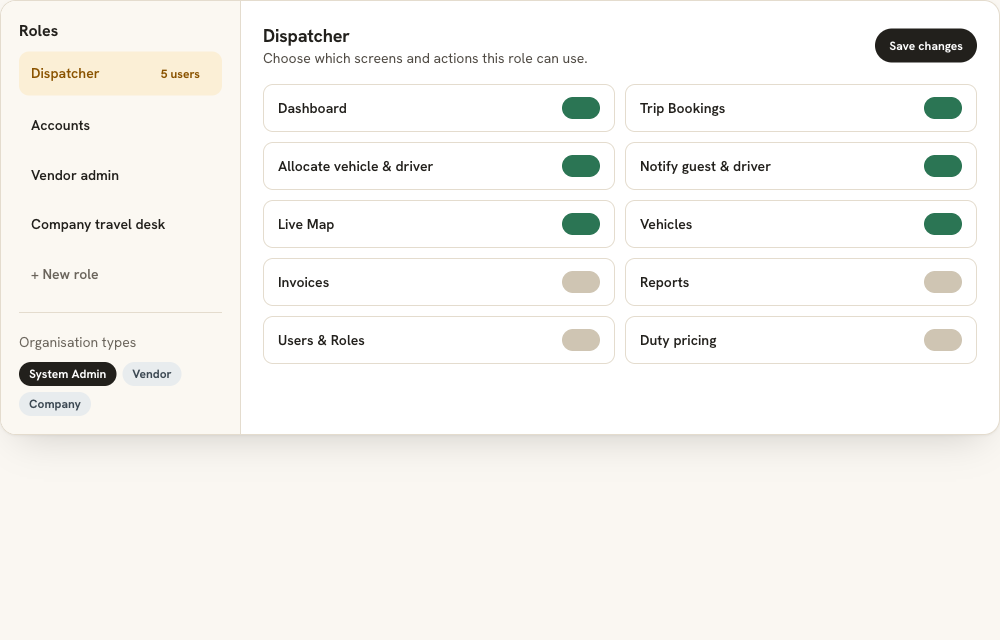
When several vendors serve several companies, it is hard to know who owns which duty and who may see what. DutyGo models System Admin, Vendor and Company organisations, with roles that decide the screens and actions each user can use.
- Vendors manage their own vehicles, drivers and the trips assigned to them.
- Companies assign bookings to their vendors.
- Each client's bookings, users and billing stay separate.
The client side is covered in corporate cab management. Vendors then use allocation and fleet operations screens.
Vendor management features
Organisation types
System Admin, Vendors and Companies, each with its own users.
Receive assigned duties
A company assigns a booking to its vendor, who receives the duty.
Allocate own resources
The vendor assigns a vehicle and driver and notifies them.
Pricing per organisation
Rates are looked up per organisation, duty type and vehicle group.
Roles and permissions
Build custom roles and control screens and actions, and turn features on or off per organisation.
Tags
Tag records for quick grouping and filtering.
How a vendor works a duty
Receive
A duty arrives from a company or operator.
Allocate
The vendor assigns a vehicle and driver.
Run and verify
The driver runs the trip and the guest verifies it.
Invoice
Accounts review the trip and generate the invoice.
Cab vendor management software and taxi operator management
DutyGo is cab vendor management software for operators who work with other vendors, and taxi operator management software for those who allocate their own fleet. Vendors and companies are separate organisations, so each client's data stays separate.
Owner-driver businesses can read driver and owner booking management. Companies that assign bookings to vendors use the corporate car booking system, and clients can book through the customer self-service cab booking portal. The overview is in the taxi trip management platform.
What is the difference between a vendor and a company in DutyGo?
Who sets up vendors, roles and permissions?
Can I set different prices for different clients?
Can I turn features on or off for a vendor?
Find what you need.
Ready to simplify your duty operations?
See DutyGo in action with a free walkthrough tailored to your fleet.