

Customer Self-Service Cab Booking Portal for Your Clients
Let your clients add bookings themselves. With DutyGo's customer admin login, a request goes straight to your booking list, ready for allocation, and the customer follows it from created to billed.
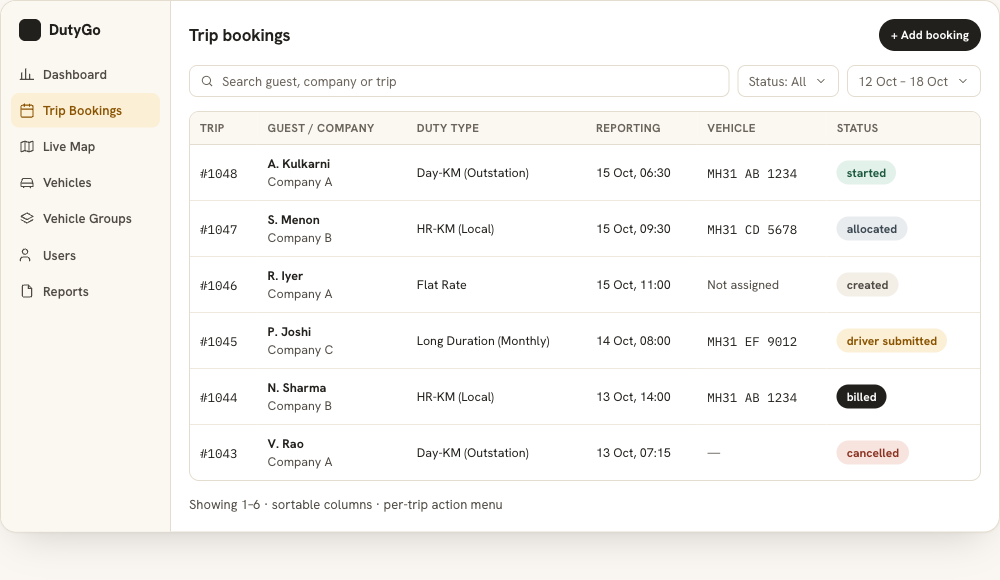
No more repeated calls to book or check a trip.
Customers get their own login. They add a booking directly to their admin, which is the operator or company that serves them.
- The booking arrives instantly in the operator's booking list.
- The customer follows the status from created to billed.
- The customer can share the live tracking link with their guests.
- Each customer sees only their own organisation's data.
Companies that book for many employees use the corporate car booking system, which also lets them assign bookings to their vendors.
What your customers get.
Customer admin login
A login for each customer to add and follow bookings without phone calls or message threads.
Straight to allocation
The request lands in the booking list, where dispatch can allocate a vehicle and driver.
Status they can follow
From created to billed, with the status history on the trip.
Tracking link for guests
Guests see only their own vehicle on a map, and only while the trip is running.
Invoices and reports
Duty slips and invoices come from the completed trip, and reports download as PDF or CSV.
Separate data per client
Data is organised per organisation, and roles control what each user can see.
From request to billed trip
Log in
The customer signs in with their own customer admin login.
Add the booking
They enter guest, pickup, drop, duty type and schedule.
Operator allocates
The operator assigns a vehicle and driver and notifies them.
Follow and share
The customer follows the status and shares the tracking link with guests.
Booking portals for companies, operators and cities
Companies use the corporate cab booking management workflow to book for staff and guests. Operators who want to see the full lifecycle can read about the online trip booking management system behind the portal.
See cab booking management software for the booking screen, and the local guide for cab booking software in Pune.
Is this a public app where anyone can book a cab?
Can individual customers book through the portal?
Do customers need to install an app?
Can customers see the vehicle on a map?
Find what you need.
Ready to simplify your duty operations?
See DutyGo in action with a free walkthrough tailored to your fleet.